고객 서비스

판매자들은 가입하면 더 많은 혜택을 누릴 수 있습니다.

모든 주문 무료 배송.

하드디스크

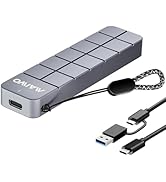
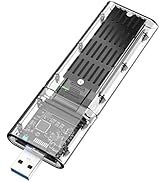
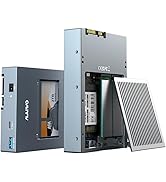
MAIWO M.2 SATA SSD Enclosure, USB3.2 Gen1 Type-A to SATA NGFF Based M.2 Solid State Drive Adapter Reader, Support B Key B+M Key, High-Strength ABS (K1714S)

4.00

지난 32시간 동안 판매됨 30

$ 9.99
$ 11.00
-10.11%

Excellent, fits and work perfectly.The installation was simple and quick.

19 현재 누군가가 웹사이트를 탐색 중입니다.

Model
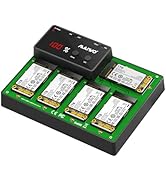
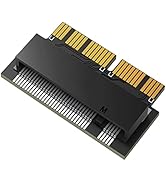
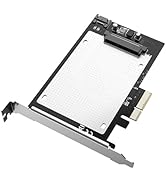
K1714S K1688S K1686S K1689S K1690S
수량:
- +

예상 배송 시간: 12~26일(국제), 3~6일(미국)

구매일로부터 45일 이내에 반품이 가능합니다. 관세 및 세금은 환불되지 않습니다.

  • ASIN:

    B0F48DKTN6

  • BEST_SELLERS_RANK:

    #95 in Enclosures

  • COMPATIBLE_DEVICES:

    desktop/TV/router/laptop/tablet/PS4 and etc.

  • CUSTOMER_REVIEWS:

    4.0 4.0 out of 5 stars (33) 4.0 out of 5 stars

  • DATA_TRANSFER_RATE:

    6 Gigabits Per Second

  • DATE_FIRST_AVAILABLE:

    June 16, 2025

  • ITEM_MODEL_NUMBER:

    K1714S

  • ITEM_WEIGHT:

    1.76 ounces

  • MANUFACTURER:

    MAIWO

  • MATERIAL:

    Polycarbonate (PC)

  • MAX_NUMBER_OF_SUPPORTED_DEVICES:

    1

  • MEMORY_STORAGE_CAPACITY:

    2 TB

  • PRODUCT_DIMENSIONS:

    4.84 x 1 x 0.47 inches

안전한 결제를 보장하세요

제품 상세 정보

고객 리뷰
4.00

(100 점수)

5
9
4
10
3
6
2
16
1
59
댓글 취소
댓글을 남겨주세요

26 논평

I have a few SATA SSD drives and needed one. I have a few NVMe adapters, but I needed a SATA one for my SATA drives. The enclosure is well-built, giving a feeling of quality, and is easy to assemble and use. The functionality is simple: open it, put the SSD in, and start using it. As long as your SSD is compatible, it works. The design is sleek, and it is not at all bulky, so it can even fit in a pocket. The retainer screw is different from most other enclosures I have used (over 10) but not difficult to use. At $13, it is a great value for money.I won't go into the speeds as the interface is quite slow compared to the drive speed but I was able to get over 100 MBytes /sec of writes consistently with bursts going over 250

Just the ticket for copying files off an old NVME drive or formatting one

1.0 out of 5 stars Adaptador SSD
2025-12-22    -Francisco

No lo recomiendo pana nada vino defectuoso y casi me quema el disco duro ssd

2.0 out of 5 stars Slow and Insecure
2026-01-12    -Noah

The casing has no physical support for the ssd, leaving it to hang from the data connector which is not safe for regular use as an external drive.The data rates were abysmal, around 10-15 MBps, or around 1/500 of the advertised. I've used the SSD as an internal drive for some time with normal SATA speeds.I'll be returning the item and looking for a better quality enclosure from a different seller

5.0 out of 5 stars works
2026-01-26    -H W Lam

Got it today; been playing with it and it seems to work fine, as expected. Using a JMicron rebranded 512 SSD M2 B key drive. I'm using it for a backup and it does not get hot at all. On that not, only weirdness is the thermal pad, which is not discussed in the paper instructions yet in several other manufacturer videos seems to be peeled and applied with the sticky side up OR does it just get placed inside - WTF?

M.2 drives have been available for over a decade, primarily serving as ultra-compact internal storage for laptops and PCs. “M.2” refers to the physical form factor of the drive (and enclosure), with different interface protocols. M.2 drives are ideal for small devices since they require no cables and have no moving parts. The tidy design leads to increased durability and better power efficiency.This model only supports the M.2 SATA interface protocol (B or B+M key), with USB 3.2 connectivity, read/write speeds of up to 6Gbps, and drive sizes up to 2TB. Installation was straightforward and took just minutes. It works smoothly across various operating systems and provides reliable performance for most tasks, including gaming.It’s important to note that this enclosure does not support the newer NVMe drives with PCIe interface, which are even faster in overall performance but also more costly. The older M.2 SATA drives remain a great choice and are much more affordable. I purchased a 1TB SSD at a very reasonable price for the enclosure.This enclosure gives me a compact, portable 1TB external SSD, perfect for storing files, running applications, and even carrying my game library while on the go. A smart investment if you want to repurpose an old drive or create a dependable external SSD for your needs.

Good device
2026-02-04    -Adil Zeynalli

Works well

5.0 out of 5 stars M.2 SATA Enclosure
2026-03-05    -ALESSANDRO ROSSETTO

Excellent, fits and work perfectly.The installation was simple and quick.

This enclosure comes in a box with a Phillips head 00-sized screwdriver to secure the SSD inside and close the enclosure, a rectangle of thermal interface material, a short and thick USB Type C male to Type A male cable that has blue markings on the USB Type A end but no marking anywhere for 5 or 10 Gbps, and my USB tester can’t tell either (decent, but can be confused for another speed in a box of cables), a small resealable bag with 2 sets of M.2 standoffs and screws as well as enclosure screws, a metal cover and an adhesive acrylic cover, and a user’s manual in English and Chinese. It’s compatible with M.2 2230, 2242, 2260 and 2280 SATA SSDs.This enclosure is perfect for any volume of reads and writes, including very intensive ones, thanks to its metallic heatsink design that keeps the drive cool (and the enclosure itself, too). SMART data from the drive (which this enclosure supports) reported 40°C on my test drive after 500 GB of SLC cached writes that reached 335 MB/s. A blue LED shown through a pinhole blinks when the SSD is being accessed. In terms of functionality supported, requesting device sleep and reading SMART data are supported, but TRIM to the SSD is not supported.In terms of thickness, the usable space is just under 5 mm. Some SSDs with thick built-in heatsinks will not fit unless you remove that heatsink and install the bundled thermal interface material on the SSD.The main thing I find odd with this enclosure is its use of tools. To put an SSD in, you have to slide the adapter board out, and to do that, by default, you first take out the metal cover. That cover is simultaneously very securely stuck on but very easy to jostle free, along with the board. To solve that, you can use the adhesive acrylic cover, but once you do that, you’re never getting that SSD back out, as the adhesive is very secure; you have to make sure you will never want to use the SSD in the M.2 slot of a computer’s motherboard or change the SSD in the enclosure later on, and you have to remember to first glue the thermal interface material on the SSD and enclosure for optimal heat transfer, but it’s impossible to access the inside of the unibody metal enclosure well enough to glue it there. Generally, to put an SSD in, you have to use a standoff and screw (and it’s the silver ones, not the black ones), and if you want to use the metal cover, you pretty much have to use two black screws. None of this is explained properly in the manual.

Just the ticket for copying files off an old NVME drive or formatting one

댓글을 남겨주세요:

댓글 제목
댓글 내용
배송 및 반품
우리가 당신을 보호하겠습니다

대부분 지역에서는 배송비를 한 번만 지불하시면 됩니다 (주문 및 배송 페이지를 확인해 주세요).

구매 후 14일 이내 무료 반품 가능 (단, 수명이 다한 제품, 맞춤 제작 상품, 마스크, 향수 및 에어로졸과 같이 위험하거나 인화성 물질이 포함된 일부 제품은 제외).

수입 관세 정보

복잡한 절차는 저희가 처리해 드리겠습니다. 카나리아 제도를 제외한 모든 EU 국가, 영국, 미국, 캐나다, 호주, 뉴질랜드, 푸에르토리코, 스위스, 싱가포르, 한국, 쿠웨이트, 멕시코, 카타르, 인도, 노르웨이, 사우디아라비아, 대만, 태국, UAE, 일본, 브라질, 맨섬, 산마리노, 콜롬비아, 칠레, 아르헨티나, 이집트, 레바논, 홍콩 특별행정구, 바레인, 터키로 배송되는 상품 가격에는 모든 수입 관세가 포함되어 있습니다. 표시된 가격이 최종 결제 금액입니다.

예상 배송 시간

특급 배송: 7-10일

해당 창고에서 배송되었습니다.

더 자세한 정보가 필요하신가요?
반품 정책
반품 정책

저희는 제품 품질에 자신 있습니다. 만약 구매하신 제품에 완전히 만족하지 못하신다면, 수령일로부터 30일 이내에 간편하게 반품하실 수 있도록 정책을 마련해 두었습니다.

간편한 교환 또는 환불
  • 다른 사이즈, 색상 또는 스타일의 상품으로 교환하거나 전액 환불받을 수 있습니다.
  • 반품되는 모든 상품은 착용하지 않은 상태여야 하며, 원래 포장 상태 그대로 모든 태그가 손상되지 않은 상태여야 합니다.
간단한 절차
  • 온라인으로 반품을 신청하거나 고객 서비스 팀에 문의하여 도움을 받으실 수 있습니다.
  • 물품을 제대로 포장해 주시고, 원래의 포장 목록도 함께 넣어주세요.
  • 반품하실 상품을 보내주실 때에는 저희가 제공해 드린 선불 배송 라벨을 사용해 주시기 바랍니다.
  • 환불 요청 접수 즉시 처리해 드리겠습니다.

반품과 관련하여 궁금한 점이나 우려 사항이 있으시면 언제든지 저희 전문 고객 서비스 팀에 문의해 주세요. 고객 만족은 저희의 최우선 목표입니다.

범주
차이
제품
모든 제품 지우기