고객 서비스

판매자들은 가입하면 더 많은 혜택을 누릴 수 있습니다.

모든 주문 무료 배송.

안전 장비

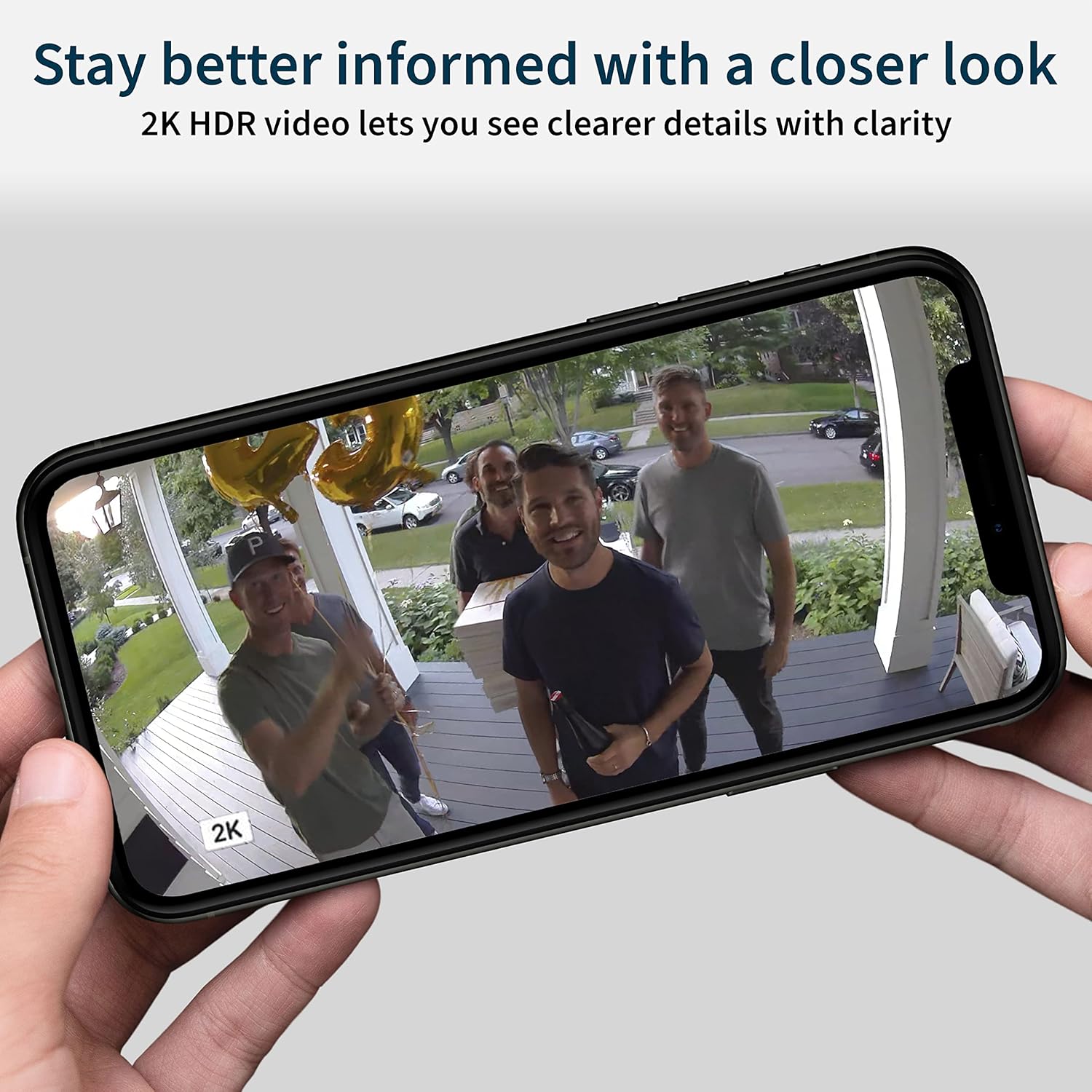
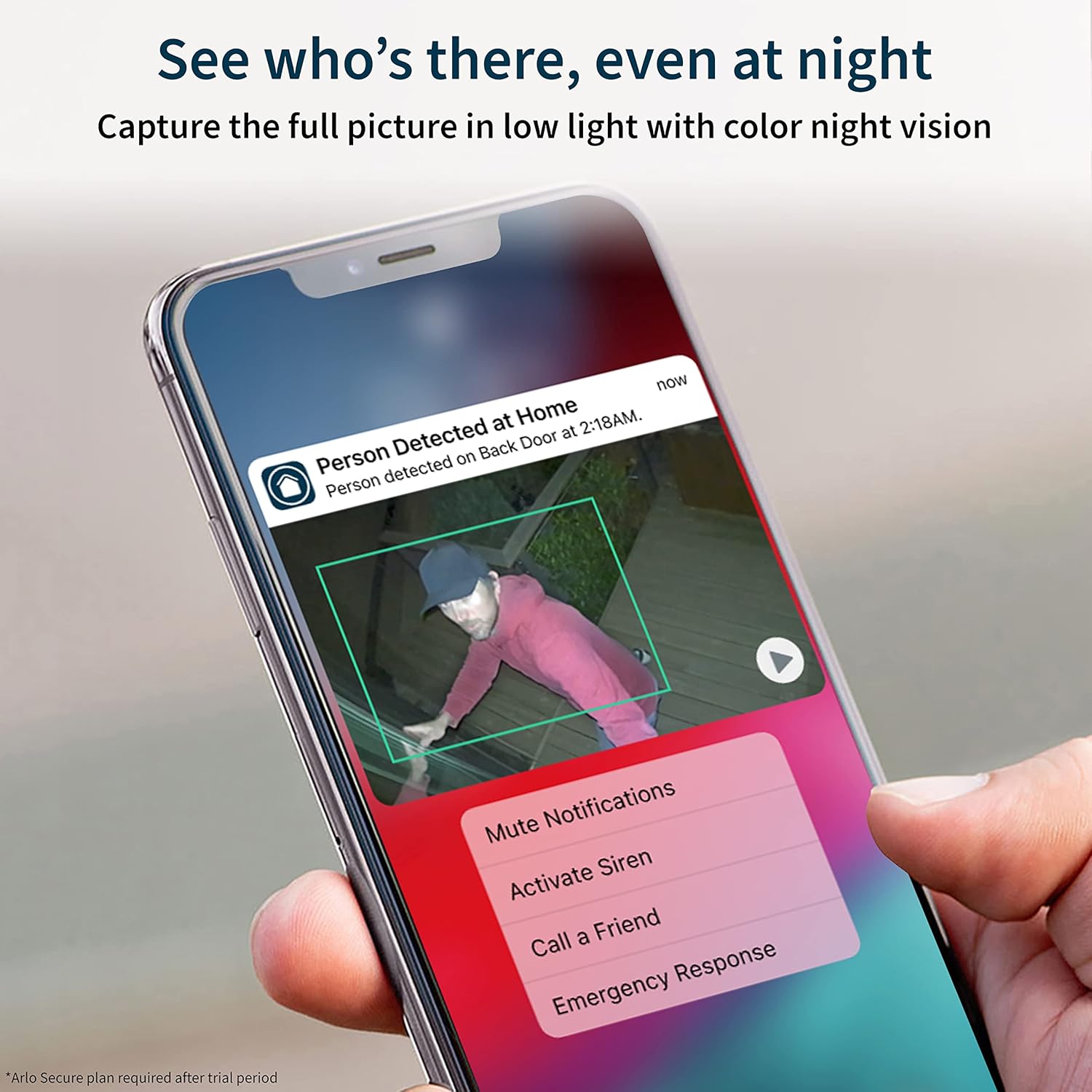
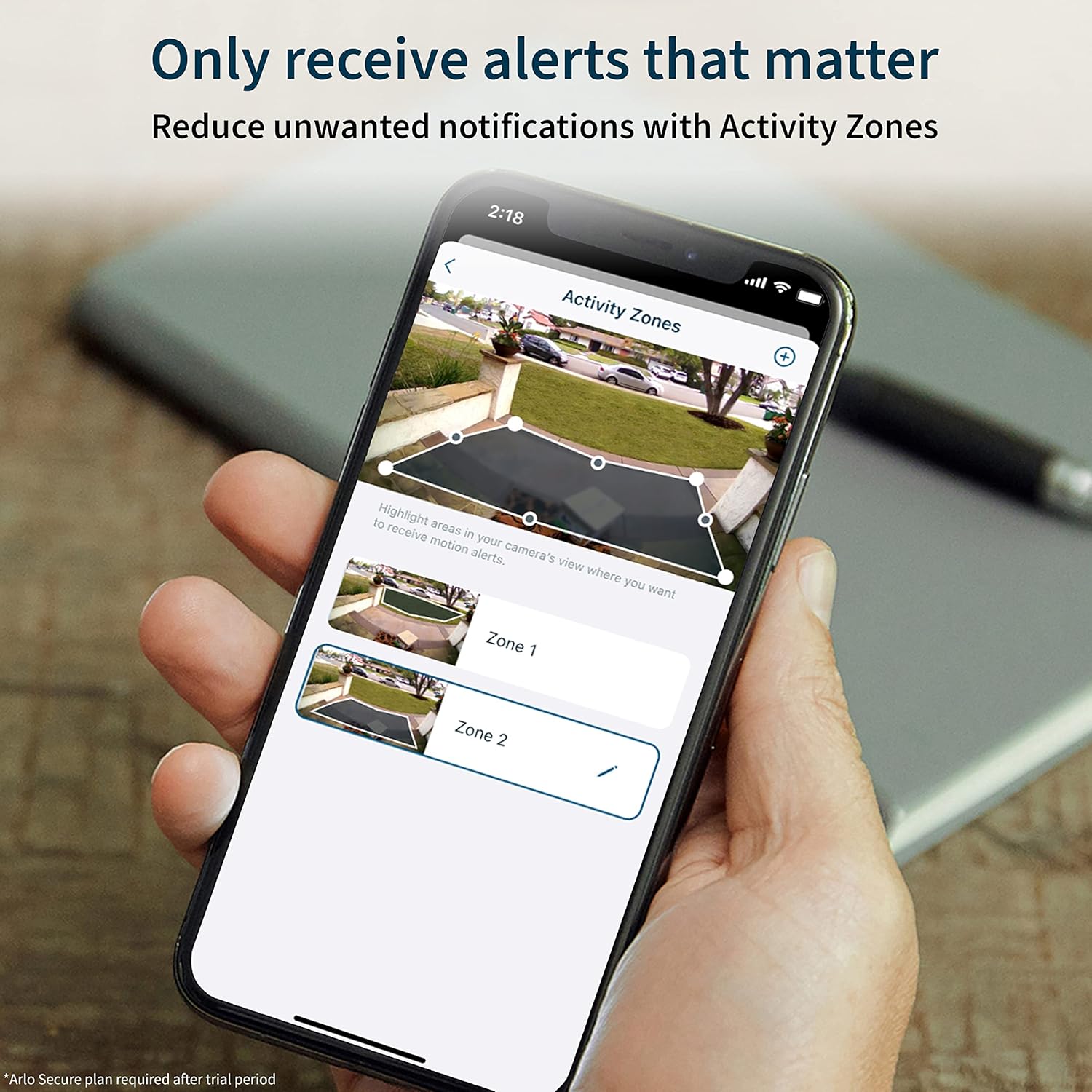
Arlo Pro 4 Spotlight Camera - 3 Pack - Wireless Security, 2K Video & HDR, Color Night Vision, 2 Way Audio, Direct to WiFi No Hub Needed, VMC4350P - White (Renewed)

3.90

지난 32시간 동안 판매됨 21

$ 119.99
$ 127.00
-5.84%

I love these cameras they work amazing it was worth my money to buy these cameras

25 현재 누군가가 웹사이트를 탐색 중입니다.

Size
Essential 2nd Gen (4 Cameras) Essential 2nd Gen (3 Cameras) 1 Count (Pack of 1) Essential 2nd Gen (1 Camera) 7 Piece Set Essential 2nd Gen (2 Cameras) 3 Count (Pack of 1) 4 Count (Pack of 1)
수량:
- +

예상 배송 시간: 12~26일(국제), 3~6일(미국)

구매일로부터 45일 이내에 반품이 가능합니다. 관세 및 세금은 환불되지 않습니다.

  • ALERT_TYPE:

    Motion Only

  • ASIN:

    B09HXZQ7BM

  • BATTERIES:

    3 Lithium Polymer batteries required.

  • BATTERIES_REQUIRED:

    No

  • BEST_SELLERS_RANK:

    #207 in Amazon Renewed (See Top 100 in Amazon Renewed) #2 in Renewed Camera & Photo #77 in Bullet Surveillance Cameras

  • COLOR:

    white

  • COMPATIBLE_DEVICES:

    Alexa

  • CONNECTIVITY_PROTOCOL:

    Wi-Fi

  • CONTROL_METHOD:

    Voice

  • CONTROLLER_TYPE:

    Amazon Alexa, Apple HomeKit, Google Assistant, SmartThings

  • CUSTOMER_REVIEWS:

    3.9 3.9 out of 5 stars (1,485) 3.9 out of 5 stars

  • DATE_FIRST_AVAILABLE:

    October 7, 2021

  • FIELD_OF_VIEW:

    160 Degrees

  • FOCUS_TYPE:

    Auto Focus

  • INCLUDED_COMPONENTS:

    Arlo Camera

  • INDOOR_OUTDOOR_USAGE:

    Outdoor

  • INTERNATIONAL_PROTECTION_RATING:

    IP65

  • ITEM_DIMENSIONS_L_X_W_X_H:

    3.15 x 131.89 x 92.52 inches

  • ITEM_MODEL_NUMBER:

    VMC4350P

  • ITEM_WEIGHT:

    11 ounces

  • LIGHT_SOURCE_TYPE:

    Infrared

  • LOW_LIGHT_TECHNOLOGY:

    Night Color

  • MANUFACTURER:

    Arlo

  • MATERIAL:

    Metal

  • MOUNTING_TYPE:

    Stick Up

  • NUMBER_OF_CHANNELS:

    4

  • NUMBER_OF_ITEMS:

    1

  • POWER_SOURCE:

    Battery Powered

  • PRODUCT_DIMENSIONS:

    3.15 x 131.89 x 92.52 inches

  • ROOM_TYPE:

    Bedroom, Kitchen, Living Room, Nursery, Office

  • SPECIFIC_USES_FOR_PRODUCT:

    Surveillance

  • UNIT_COUNT:

    1.0 Count

  • UPC:

    656942430407

  • VIDEO_CAPTURE_FORMAT:

    MPEG-4

  • VIDEO_CAPTURE_RESOLUTION:

    2K

  • WATTAGE:

    7.5 watts

  • WIRELESS_COMMUNICATION_TECHNOLOGY:

    Wi-Fi

  • ZOOM_TYPE:

    Digital Zoom

안전한 결제를 보장하세요

제품 상세 정보
This pre-owned or refurbished product has been professionally inspected and tested to work and look like new. How a product becomes part of Amazon Renewed, your destination for pre-owned, refurbished products: A customer buys a new product and returns it or trades it in for a newer or different model. That product is inspected and tested to work and look like new by Amazon-qualified suppliers. Then, the product is sold as an Amazon Renewed product on Amazon. If not satisfied with the purchase, renewed products are eligible for replacement or refund under the Amazon Renewed Guarantee.
고객 리뷰
3.90

(100 점수)

5
17
4
5
3
8
2
10
1
60
댓글 취소
댓글을 남겨주세요

12 논평

4.0 out of 5 stars Pretty good overall
2026-02-21    -Mr. Spice Cakes

I bought two sets of these about a year and a half ago and they have served us well. This was our first experience with cameras of this type, so I don’t have too much to compare it to. I can’t say they were fairly easy to set up. The picture and color accuracy is good enough for us. For the most part they do their job. You can customize the settings to your liking. They basically record video and audio whenever the motion sensor sets them off. Sometimes for whatever reason they just don’t go off occasionally we get a delivery and there’s no video of the delivery guy. But I would say they work 95% of the time or more. In the future, I’ll probably upgrade to a newer model. But if you’re on a budget, I would definitely recommend.

5.0 out of 5 stars Great camera!
2026-02-01    -CC

These cameras were exactly as expected. Easy to program to my Arlo app. Picture is very clear. Have to have membership to save videos. Would purchase again.

5.0 out of 5 stars Great camera!
2026-01-16    -CC

These cameras were exactly as expected. Easy to program to my Arlo app. Picture is very clear. Have to have membership to save videos. Would purchase again.

This review is for the Arlo Wired Doorbell & Pro 4 Camera since I was trying to integrate them to work together.Overall the cameras are just OK, however there are many issues that caused me to return the camera. The biggest issues are the long lag time that makes the video doorbell almost useless, motion sensing and recording not working consistantly, integration with Smarthings not working correctly with long lag time, and the quality of the cameras of not sensing motion and forgetting settings every night.Pros:* Good Price when on sale for $79 (Doorbell Camera)* Decent video quality (though hard to read a license plate)* Night vision (only in black in white) works well if the IR light does not reflect off an object close to the camera lens. (Doorbell Camera)* Color Night vision (Pro 4 – as long as you enable the internal spotlight)* Motion alert (only motion) will send to Smartthings to be able to trigger lights (via a web connection)* Will ring your wired doorbell* Announces on Google Nests, however there is a delay after the doorbell is pressed* Allows pre canned announcements that the user on the app can send while in a call after the doorbell is pressed.* Allows someone to leave a message after ringing the doorbell* Get email alerts of low battery (Pro 4 camera)Cons:* One of 3 cameras forgets / changes record length time every night to 10 seconds even though the app is set to record for 120 seconds (Pro 4 Camera)* One of 3 cameras will not sense motion most of the time and when it does you have to be very close to the camera (Pro 4 camera)* Cross triggering of recording of motion on one camera to start recording on another camera takes from 2 to 12 seconds and sometimes does not trigger the other camera.* Cross triggering of recoding will not work properly when linked to other cameras to record, setting time limit of recording to motion would not record anything if triggered by another camera* Cross triggering of recording will not work if you mask the recording area on the cameras triggered to record.* Batteries only lasted 4 to 6 days (Pro 4 camera)* Can not use color night vision if you turn off the spotlight. I have motion yard lights that turn on, however you must turn the camera spotlight on (and use camera battery) to see in color. (Pro 4 Camera)* Plan on spending hours to work with customer service. I found the phone number works best during the day. You must look to find the number.* Very long delay, about 13 seconds to get notification on your phone after the doorbell is pressed, and 8 to 14 seconds when trying to talk to someone at your door when they ring the doorbell. That is a 16 to 28 second round trip wait to ask a question. I have gigabit internet and a dedicated wireless router for just the one camera so it is not a bandwidth issue on my side. Customer service told me that they have a typical delay of 5 seconds.* Audio is choppy and drops out often, even with the built-in messages.* Motion sensor only works for the bottom half of the screen. If you aim the camera down to see the step in front of your door, it may not pick up anything from the sidewalk as people enter* No prerecording of what happened before the motion sensor triggers (when it triggers)* Masking of the area you want to record does not work properly. Customer service told me to turn it off to ensure I get more motion sensing.* No way to turn off black and white video at night, even when you have motion lights that turn on. (wired doorbell camera)* Light and the internal IR light will cause bad glares across the video if reflected into the camera lens* Camera will not record when sent “record” from Smartthings. (possibly may work if mask is turned off) then it would take 12 to 29 seconds to start recording (if it starts at all)* No way to turn certain types of alarm notifications on / off for different times of the day to the app while maintain motions sensors and recording.* Android app has some issues such as no way to turn on / off night vision light. You must log in to a web-based control to turn on / off* No direct connection to Smartthings, must rely on the internet and link your account.* Smartthings only gets motion alerts from Arlo, it cannot receive alerts for people, vehicles, packages, animals, etc.* Alarm types in Smartthings do not work properly: (Strobe, Siren and Strobe, Siren) All settings sound the siren and turn the light on.* Can not record locally with an IP based recorder or software like Blue Iris* Must pay a monthly fee to be able to record.* Must pay a higher monthly fee if you want to add another camera to use as a motion sensor so the doorbell will record when someone comes down the sidewalk towards the door.* The Android app needs to be fixed. Originally when I got the camera I could only use iOS (Apple) phone to connect the camera, they have since fixed that, however other features still do not work as of 9 December 2022Overall, I got this camera to use to integrate with Smarthings, to record on certain events and THIS DOES NOT WORK correctly with Smartthings. You must get other Arlo cameras to trigger the other Arlo cameras to record. You cannot use routines or existing Smartthings sensors to trigger a recording. The motion sensor on the camera is not sensitive enough to cover my sidewalk and driveway, and only the bottom half of the screen is what can be used to sense motion.Never got the cameras working properly, never received follow up support as promisedThe agent did not understand the problems, nor was able to fix them. the issues are in the hardware and software of the product.

This review is for the Arlo Wired Doorbell & Pro 4 Camera since I was trying to integrate them to work together.Overall the cameras are just OK, however there are many issues that caused me to return the camera. The biggest issues are the long lag time that makes the video doorbell almost useless, motion sensing and recording not working consistantly, integration with Smarthings not working correctly with long lag time, and the quality of the cameras of not sensing motion and forgetting settings every night.Pros:* Good Price when on sale for $79 (Doorbell Camera)* Decent video quality (though hard to read a license plate)* Night vision (only in black in white) works well if the IR light does not reflect off an object close to the camera lens. (Doorbell Camera)* Color Night vision (Pro 4 – as long as you enable the internal spotlight)* Motion alert (only motion) will send to Smartthings to be able to trigger lights (via a web connection)* Will ring your wired doorbell* Announces on Google Nests, however there is a delay after the doorbell is pressed* Allows pre canned announcements that the user on the app can send while in a call after the doorbell is pressed.* Allows someone to leave a message after ringing the doorbell* Get email alerts of low battery (Pro 4 camera)Cons:* One of 3 cameras forgets / changes record length time every night to 10 seconds even though the app is set to record for 120 seconds (Pro 4 Camera)* One of 3 cameras will not sense motion most of the time and when it does you have to be very close to the camera (Pro 4 camera)* Cross triggering of recording of motion on one camera to start recording on another camera takes from 2 to 12 seconds and sometimes does not trigger the other camera.* Cross triggering of recoding will not work properly when linked to other cameras to record, setting time limit of recording to motion would not record anything if triggered by another camera* Cross triggering of recording will not work if you mask the recording area on the cameras triggered to record.* Batteries only lasted 4 to 6 days (Pro 4 camera)* Can not use color night vision if you turn off the spotlight. I have motion yard lights that turn on, however you must turn the camera spotlight on (and use camera battery) to see in color. (Pro 4 Camera)* Plan on spending hours to work with customer service. I found the phone number works best during the day. You must look to find the number.* Very long delay, about 13 seconds to get notification on your phone after the doorbell is pressed, and 8 to 14 seconds when trying to talk to someone at your door when they ring the doorbell. That is a 16 to 28 second round trip wait to ask a question. I have gigabit internet and a dedicated wireless router for just the one camera so it is not a bandwidth issue on my side. Customer service told me that they have a typical delay of 5 seconds.* Audio is choppy and drops out often, even with the built-in messages.* Motion sensor only works for the bottom half of the screen. If you aim the camera down to see the step in front of your door, it may not pick up anything from the sidewalk as people enter* No prerecording of what happened before the motion sensor triggers (when it triggers)* Masking of the area you want to record does not work properly. Customer service told me to turn it off to ensure I get more motion sensing.* No way to turn off black and white video at night, even when you have motion lights that turn on. (wired doorbell camera)* Light and the internal IR light will cause bad glares across the video if reflected into the camera lens* Camera will not record when sent “record” from Smartthings. (possibly may work if mask is turned off) then it would take 12 to 29 seconds to start recording (if it starts at all)* No way to turn certain types of alarm notifications on / off for different times of the day to the app while maintain motions sensors and recording.* Android app has some issues such as no way to turn on / off night vision light. You must log in to a web-based control to turn on / off* No direct connection to Smartthings, must rely on the internet and link your account.* Smartthings only gets motion alerts from Arlo, it cannot receive alerts for people, vehicles, packages, animals, etc.* Alarm types in Smartthings do not work properly: (Strobe, Siren and Strobe, Siren) All settings sound the siren and turn the light on.* Can not record locally with an IP based recorder or software like Blue Iris* Must pay a monthly fee to be able to record.* Must pay a higher monthly fee if you want to add another camera to use as a motion sensor so the doorbell will record when someone comes down the sidewalk towards the door.* The Android app needs to be fixed. Originally when I got the camera I could only use iOS (Apple) phone to connect the camera, they have since fixed that, however other features still do not work as of 9 December 2022Overall, I got this camera to use to integrate with Smarthings, to record on certain events and THIS DOES NOT WORK correctly with Smartthings. You must get other Arlo cameras to trigger the other Arlo cameras to record. You cannot use routines or existing Smartthings sensors to trigger a recording. The motion sensor on the camera is not sensitive enough to cover my sidewalk and driveway, and only the bottom half of the screen is what can be used to sense motion.Never got the cameras working properly, never received follow up support as promisedThe agent did not understand the problems, nor was able to fix them. the issues are in the hardware and software of the product.

4.0 out of 5 stars Pretty good overall
2026-01-26    -Mr. Spice Cakes

I bought two sets of these about a year and a half ago and they have served us well. This was our first experience with cameras of this type, so I don’t have too much to compare it to. I can’t say they were fairly easy to set up. The picture and color accuracy is good enough for us. For the most part they do their job. You can customize the settings to your liking. They basically record video and audio whenever the motion sensor sets them off. Sometimes for whatever reason they just don’t go off occasionally we get a delivery and there’s no video of the delivery guy. But I would say they work 95% of the time or more. In the future, I’ll probably upgrade to a newer model. But if you’re on a budget, I would definitely recommend.

I purchased a set of 4 Arlo Pro Spotlight cameras that included a “trial subscription.”When the trial period ended, my 4 cameraswould trigger, and I was sent a notification, but I was unable to view any of the recordings.I chatted with an Arlo tech support person, and I was told that there is what amounts to a “work around.” I was advised that by purchasing an Arlo base unit, I’d be able to continue to use my cameras similar to the way that they functioned during the trial period.I purchased the VMB5000, synched my four cameras to it- but the cameras did not work.I chatted with a second Arlo tech support person who advised me that I needed a class 10 SD card.I purchased this MICRO card through Amazon, and when it arrived I searched and eventually found the well hidden micro SD card slot. It’s at the bottom of the base unit.The Record locally toggle switch recognized the SD card; and after following the prompts- I successfully formatted the SD card.I activated both the “record locally” toggle switch, as well as, the “direct storage access” toggle.At this point- I was able, while in Wi-Fi mode on my iPhone, to view captured triggered videos from each camera similar to when the trial subscription was active.However, when I was out of Wi-Fi range, once again, I could no longer view any triggered camera videos.Upon further reading, Arlo states that viewing triggered camera videos, remotely, that is, out of Wi-Fi range can be accomplished with by using a VPN, or by using Port Forwarding.I watched a YouTube video, loaded my ISP’s (Spectrum) App onto by iPhone, and with a few inputs*-I’m happy to say that it works.I can, now, view triggered camera videos either locally, or remotely with my iPhonevia the cell phone network.*Arlo app>Devices>Smart Hub/Base Station/Bridge>tap on the base station>Local Storage(storage settings)>activate: Record LocallyDirect Storage Access>tap on: Port Forwarding>activate: Enable Port ForwardingWrite down the internal andexternal port numbers- you willInput these on your ISP’s router.I was fortunate I found a YouTube video with instructions for setting up my ISP, Spectrum, router.Good Luck!(FYI:The VPN setup is believed to be more secure than the port forwarding setup- I may explore the VPN option, there are free VPN apps, and there are subscription VPN apps, as well, but my whole thing was to eliminate yet another monthly subscription.

I purchased a set of 4 Arlo Pro Spotlight cameras that included a “trial subscription.”When the trial period ended, my 4 cameraswould trigger, and I was sent a notification, but I was unable to view any of the recordings.I chatted with an Arlo tech support person, and I was told that there is what amounts to a “work around.” I was advised that by purchasing an Arlo base unit, I’d be able to continue to use my cameras similar to the way that they functioned during the trial period.I purchased the VMB5000, synched my four cameras to it- but the cameras did not work.I chatted with a second Arlo tech support person who advised me that I needed a class 10 SD card.I purchased this MICRO card through Amazon, and when it arrived I searched and eventually found the well hidden micro SD card slot. It’s at the bottom of the base unit.The Record locally toggle switch recognized the SD card; and after following the prompts- I successfully formatted the SD card.I activated both the “record locally” toggle switch, as well as, the “direct storage access” toggle.At this point- I was able, while in Wi-Fi mode on my iPhone, to view captured triggered videos from each camera similar to when the trial subscription was active.However, when I was out of Wi-Fi range, once again, I could no longer view any triggered camera videos.Upon further reading, Arlo states that viewing triggered camera videos, remotely, that is, out of Wi-Fi range can be accomplished with by using a VPN, or by using Port Forwarding.I watched a YouTube video, loaded my ISP’s (Spectrum) App onto by iPhone, and with a few inputs*-I’m happy to say that it works.I can, now, view triggered camera videos either locally, or remotely with my iPhonevia the cell phone network.*Arlo app>Devices>Smart Hub/Base Station/Bridge>tap on the base station>Local Storage(storage settings)>activate: Record LocallyDirect Storage Access>tap on: Port Forwarding>activate: Enable Port ForwardingWrite down the internal andexternal port numbers- you willInput these on your ISP’s router.I was fortunate I found a YouTube video with instructions for setting up my ISP, Spectrum, router.Good Luck!(FYI:The VPN setup is believed to be more secure than the port forwarding setup- I may explore the VPN option, there are free VPN apps, and there are subscription VPN apps, as well, but my whole thing was to eliminate yet another monthly subscription.

5.0 out of 5 stars Arlo Pro
2026-01-20    -Derek

The only downside to arlo is the need to charge. I recommend buying a dual charger and extra batteries so you can just swap out batteries instead of having a camera down for a few hours.

5.0 out of 5 stars They work amazing
2026-02-08    -Malachi Jackson

I love these cameras they work amazing it was worth my money to buy these cameras

댓글을 남겨주세요:

댓글 제목
댓글 내용
배송 및 반품
우리가 당신을 보호하겠습니다

대부분 지역에서는 배송비를 한 번만 지불하시면 됩니다 (주문 및 배송 페이지를 확인해 주세요).

구매 후 14일 이내 무료 반품 가능 (단, 수명이 다한 제품, 맞춤 제작 상품, 마스크, 향수 및 에어로졸과 같이 위험하거나 인화성 물질이 포함된 일부 제품은 제외).

수입 관세 정보

복잡한 절차는 저희가 처리해 드리겠습니다. 카나리아 제도를 제외한 모든 EU 국가, 영국, 미국, 캐나다, 호주, 뉴질랜드, 푸에르토리코, 스위스, 싱가포르, 한국, 쿠웨이트, 멕시코, 카타르, 인도, 노르웨이, 사우디아라비아, 대만, 태국, UAE, 일본, 브라질, 맨섬, 산마리노, 콜롬비아, 칠레, 아르헨티나, 이집트, 레바논, 홍콩 특별행정구, 바레인, 터키로 배송되는 상품 가격에는 모든 수입 관세가 포함되어 있습니다. 표시된 가격이 최종 결제 금액입니다.

예상 배송 시간

특급 배송: 7-10일

해당 창고에서 배송되었습니다.

더 자세한 정보가 필요하신가요?
반품 정책
반품 정책

저희는 제품 품질에 자신 있습니다. 만약 구매하신 제품에 완전히 만족하지 못하신다면, 수령일로부터 30일 이내에 간편하게 반품하실 수 있도록 정책을 마련해 두었습니다.

간편한 교환 또는 환불
  • 다른 사이즈, 색상 또는 스타일의 상품으로 교환하거나 전액 환불받을 수 있습니다.
  • 반품되는 모든 상품은 착용하지 않은 상태여야 하며, 원래 포장 상태 그대로 모든 태그가 손상되지 않은 상태여야 합니다.
간단한 절차
  • 온라인으로 반품을 신청하거나 고객 서비스 팀에 문의하여 도움을 받으실 수 있습니다.
  • 물품을 제대로 포장해 주시고, 원래의 포장 목록도 함께 넣어주세요.
  • 반품하실 상품을 보내주실 때에는 저희가 제공해 드린 선불 배송 라벨을 사용해 주시기 바랍니다.
  • 환불 요청 접수 즉시 처리해 드리겠습니다.

반품과 관련하여 궁금한 점이나 우려 사항이 있으시면 언제든지 저희 전문 고객 서비스 팀에 문의해 주세요. 고객 만족은 저희의 최우선 목표입니다.

범주
차이
제품
모든 제품 지우기