고객 서비스

판매자들은 가입하면 더 많은 혜택을 누릴 수 있습니다.

모든 주문 무료 배송.

오디오 및 비디오 액세서리

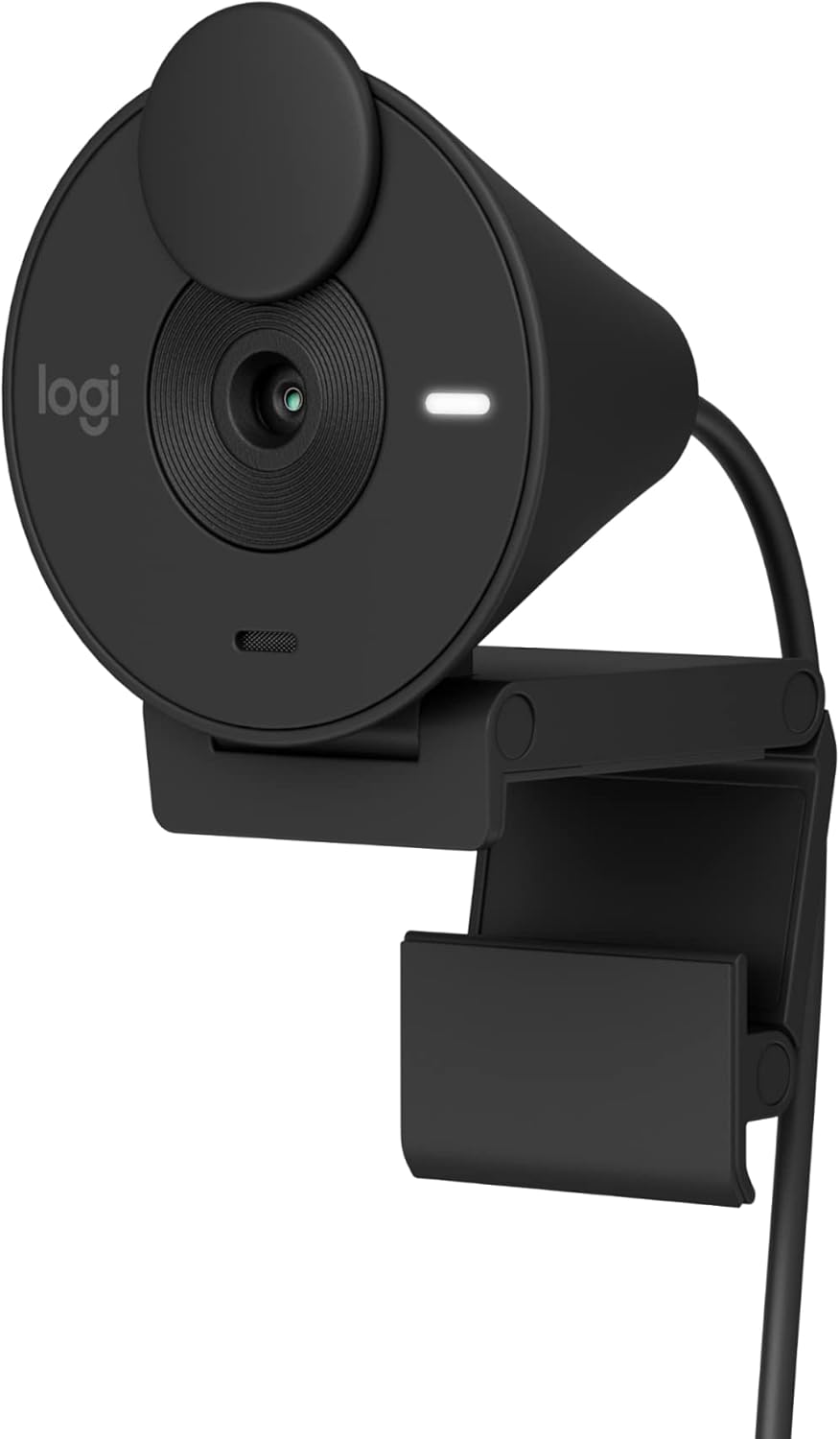
Logitech Brio 301 Full HD 1080p Webcam with Auto Light Correction, Noise Reduction Mics, Privacy Cover, Works with Teams, Google Meet, Zoom - Black

4.50

지난 32시간 동안 판매됨 20

$ 49.99
$ 54.00
-8.02%

When my laptop camera started getting fuzzy around the edges, I needed a separate camera for Zoom calls and Google Meet. This is a good, inexpensive model that works well. You just plug it into your laptop port and balance the camera on top of the monitor part of the laptop. It has a support that you can adjust so it won't fall off under normal use. The images are clear and sharp again, and I use it all the time. Thanks, Logitech.

16 현재 누군가가 웹사이트를 탐색 중입니다.

Color
Off-White Black Rose
Style
Webcam
수량:
- +

예상 배송 시간: 12~26일(국제), 3~6일(미국)

구매일로부터 45일 이내에 반품이 가능합니다. 관세 및 세금은 환불되지 않습니다.

  • ASIN:

    B09WHRSJ83

  • BEST_SELLERS_RANK:

    #27 in Webcams

  • CUSTOMER_REVIEWS:

    4.5 4.5 out of 5 stars (1,047) 4.5 out of 5 stars

  • DATE_FIRST_AVAILABLE:

    January 18, 2023

  • ITEM_MODEL_NUMBER:

    960-001513

  • ITEM_WEIGHT:

    2.63 ounces

  • MANUFACTURER:

    Logitech

  • PRODUCT_DIMENSIONS:

    2.09 x 1.78 x 2.58 inches

안전한 결제를 보장하세요

제품 상세 정보
Say hello to better video meetings. Place Brio 301 at your best angle for an eye-to-eye connection. Look natural thanks to 1080p resolution and auto light correction for low-light situations. A noise-reducing mic suppresses background noise so others can hear you clearly. Spin the easy-to-use privacy shutter to cover the lens between calls. Brio 301 is certified for Microsoft Teams, Google Meet, and Zoom, so you can enjoy hassle-free meetings. Add a dash of personality to your workspace with a modern shape and a subtly speckled design made from at least 48% recycled plastic. (3) (1) Download free Logi Tune for a customized experience. Logi Tune app currently supports headset voice prompts in the following languages: English, French, German, Italian, Spanish, and Portuguese. (2) Logi Tune not available for Chrome OS (3) Webcam plastic content may vary by color. Excludes Electronic (EE) Components, cables, and packaging. 62% for Graphite and Black, 48% for Off-white and Rose. (4) Bluetooth-enabled devices that support external keyboards
고객 리뷰
4.50

(100 점수)

5
5
4
2
3
6
2
13
1
74
댓글 취소
댓글을 남겨주세요

24 논평

Good camera
2026-02-27    -Francisco

Works great and only had 1 glitch so far with slack. Using the Mac mini 4

Great camera
2026-02-01    -Alan

I use it at work and replaced the C920. Worked great in office and with day light. The picture is much brighter and crisper than c920. I can’t comment the mic as I have a separate mic.

5.0 out of 5 stars Functions well
2026-01-03    -CLF

This is reliable with a decent quality image that's good enough for work meetings. I don't look yellow or washed out. It sits well on top of my monitor and while it's limited in how much you can adjust the angles, it sits fine for me. I like that there is a cover for the camera lens.

Excellent Resolution
2026-02-05    -Mandy

I am impressed with this camera. The clarity and resolution is very clear; it looks like there is a filter applied. Reasonable price as well considering I was looking at more expensive cameras. Recommend this one!

It's small and pretty. It's easy to set up, just plug into your USB C port and it's good to go. The clamp could be much better though since it just relies on leaning against the back of your monitor as opposed to actually gripping on, so it will fall off if bumped. The ability to turn the camera off with the flip lid is also great for added security.The image and mic are both clear and I have had no issue so far.When you preview your image it will only show your image as mirrored and there is no way to change that view however, when you are actually using it, your image is not mirrored.Lastly, the booklet doesn't tell you, and it is actually quite hard to find, that Logitunes is the Logitech program that is compatible with the Brio 300 if you want to sync it to your email or calendar and even then it can only be connected to Outlook. However, that isn't a feature that seems necessary.

Good camera
2026-01-22    -Francisco

Works great and only had 1 glitch so far with slack. Using the Mac mini 4

I purchased this webcam in an emergency for a class when my tablet died as my desktop monitor did not have a webcam. I am really impressed with the quality. It integrated well with zoom. Definitely a plug-and-play, non-fussy web-cam; which is what I wanted. Depending on someone's set-up, the cord maybe a little short (just over 60inches from the usb-c plug). The pink colour is also a nice bonus.

I wanted to look at my monitor during Zoom meetings but only had my laptop camera originally, so I bought this camera. I think this camera is easy to use and connect, has great video quality, and has a pretty good mic. I love the camera cover, too. I tutor my students online, and they can hear me well when I use the camera mic.

This is being used with a Mac Mini. I have tested out Teams, Zoom and FaceTime. All work and did not have to install any extra software.Video quality is not bad. It is obviously not a high end, production grade camera - but works perfect for video meetings. I'm using it in a basement with good lighting. Skin tone looks pretty good. Better than my old web cam it replaced by far.The microphone is ok. I'd say it sounds a little "tinny" - but good enough for a video meeting. If you want better audio, I'd recommend a standalone microphone. That said, I will be using the microphone in the camera since I think it sounds fine for meetings.

5.0 out of 5 stars Good Little Camera
2026-03-01    -Velyrhorde

When my laptop camera started getting fuzzy around the edges, I needed a separate camera for Zoom calls and Google Meet. This is a good, inexpensive model that works well. You just plug it into your laptop port and balance the camera on top of the monitor part of the laptop. It has a support that you can adjust so it won't fall off under normal use. The images are clear and sharp again, and I use it all the time. Thanks, Logitech.

댓글을 남겨주세요:

댓글 제목
댓글 내용
배송 및 반품
우리가 당신을 보호하겠습니다

대부분 지역에서는 배송비를 한 번만 지불하시면 됩니다 (주문 및 배송 페이지를 확인해 주세요).

구매 후 14일 이내 무료 반품 가능 (단, 수명이 다한 제품, 맞춤 제작 상품, 마스크, 향수 및 에어로졸과 같이 위험하거나 인화성 물질이 포함된 일부 제품은 제외).

수입 관세 정보

복잡한 절차는 저희가 처리해 드리겠습니다. 카나리아 제도를 제외한 모든 EU 국가, 영국, 미국, 캐나다, 호주, 뉴질랜드, 푸에르토리코, 스위스, 싱가포르, 한국, 쿠웨이트, 멕시코, 카타르, 인도, 노르웨이, 사우디아라비아, 대만, 태국, UAE, 일본, 브라질, 맨섬, 산마리노, 콜롬비아, 칠레, 아르헨티나, 이집트, 레바논, 홍콩 특별행정구, 바레인, 터키로 배송되는 상품 가격에는 모든 수입 관세가 포함되어 있습니다. 표시된 가격이 최종 결제 금액입니다.

예상 배송 시간

특급 배송: 7-10일

해당 창고에서 배송되었습니다.

더 자세한 정보가 필요하신가요?
반품 정책
반품 정책

저희는 제품 품질에 자신 있습니다. 만약 구매하신 제품에 완전히 만족하지 못하신다면, 수령일로부터 30일 이내에 간편하게 반품하실 수 있도록 정책을 마련해 두었습니다.

간편한 교환 또는 환불
  • 다른 사이즈, 색상 또는 스타일의 상품으로 교환하거나 전액 환불받을 수 있습니다.
  • 반품되는 모든 상품은 착용하지 않은 상태여야 하며, 원래 포장 상태 그대로 모든 태그가 손상되지 않은 상태여야 합니다.
간단한 절차
  • 온라인으로 반품을 신청하거나 고객 서비스 팀에 문의하여 도움을 받으실 수 있습니다.
  • 물품을 제대로 포장해 주시고, 원래의 포장 목록도 함께 넣어주세요.
  • 반품하실 상품을 보내주실 때에는 저희가 제공해 드린 선불 배송 라벨을 사용해 주시기 바랍니다.
  • 환불 요청 접수 즉시 처리해 드리겠습니다.

반품과 관련하여 궁금한 점이나 우려 사항이 있으시면 언제든지 저희 전문 고객 서비스 팀에 문의해 주세요. 고객 만족은 저희의 최우선 목표입니다.

범주
차이
제품
모든 제품 지우기