고객 서비스

판매자들은 가입하면 더 많은 혜택을 누릴 수 있습니다.

모든 주문 무료 배송.

인쇄기

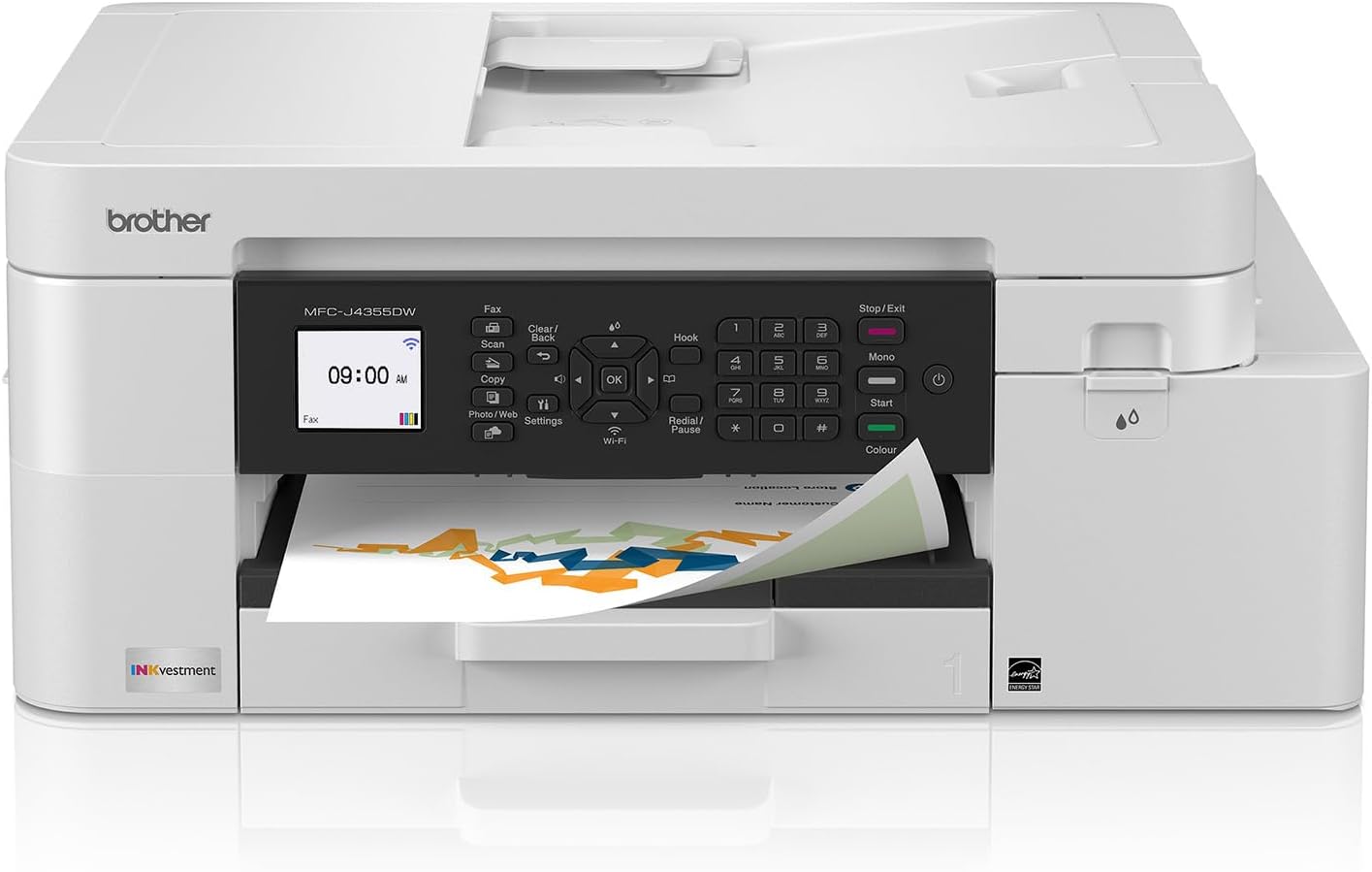
Brother INKvestment 4355 Wireless Color Inkjet All-in-One Printer with 1.8” Color Display and Manual Feed Slot | Includes Refresh Subscription Trial(1) (MFC-J4355DW)

4.00

지난 32시간 동안 판매됨 36

$ 209.98
$ 224.00
-6.68%

I waited for a month or two before I reviewed this.Scans:I use scans for work and need a scanner that can easily handle multiple pages. This scans a lot of pages- which is great. I used the feeder (and I also downloaded the software from the website). I use the program to scan. It is fabulous. I scanned a 25 page document easily and saved as a pdf to my computer. This is a huge plus because many scanners don't work well with multiple pages. The output was clear and it scanned it quickly. I do have to own up to my first scan being blank as I had the pages turned the wrong way for the feeder (it scanned the backs). Maybe I was in a rush, or I read it wrong-but it took me a second try to figure that out... so if you are using the document feeder make sure you scan the documents with the pages faced in the right direction.I have an older brother at work. You can scan it directly from the printer to the laptop because it is connected via a printer cable. I didn't set that up here, so I had to use the program to do it wirelessly which was very simple (after I did it a first time- see above). It was so easy that I decided to forgo the expense of the printer cable and just use the laptop to originate the scans wirelessly.Copy:This take copies from the glass and from the document feeder. It holds a lot of pages and it copies them quickly and clearly. I was very happy with the ADF because I copy larger documents and this poses problems for many personal printers. The glass was also very easy to copy from and it is clearly marked for orientation. My former computer was a pain because it was not very clear and I had to remember to place it against the right vs. the left.Print:Love this printer, it is fast and clear. The colors are deep and the printer easily and automatically prints (wirelessly) out my papers. I usually print out documents about 20 pages so this handled that well. I didn't have to wait a long time and my ink is still at full.....Overall I am very happy with this printer. My other printer would always give me issues when I needed to print in terms of connectivity and it would take several attempts and a lot of aggravation to print a something. This printer is a blessing in that area. It automatically connects to my computer, even after I haven't used it for a week, and prints it out quietly, quickly and clearly. It is smaller than my previous printer and it is quiet.I recommend you download the software but it is a big file(s) so it takes up memory (as a programmer I watch that load of the programs). I use the program for wireless scanning, but if you are not a big scanner than you could probably avoid it.I recommend this printer. I think it has a lot of functionality for the price-most of which I do not use-- but more importantly it works as it is supposed to - when it is supposed to. That is a big change from my former Cannon- which did what it wanted, when it wanted and took forever.

14 현재 누군가가 웹사이트를 탐색 중입니다.

Pattern Name
New Renewed (Refurbished)
Style
Current Model: MFCJ4355DW Previous Model: MFCJ4335DW
수량:
- +

예상 배송 시간: 12~26일(국제), 3~6일(미국)

구매일로부터 45일 이내에 반품이 가능합니다. 관세 및 세금은 환불되지 않습니다.

  • ADDITIONAL_PRINTER_FUNCTIONS:

    Copy, Fax, Scan

  • ASIN:

    B0FGCCWV6T

  • BEST_SELLERS_RANK:

    #4,488 in Office Products (See Top 100 in Office Products) #12 in Ink Tank Printers

  • COMPATIBLE_DEVICES:

    Laptops, PC, Smartphones, Tablets

  • CONTROL_METHOD:

    Push Button

  • CUSTOMER_REVIEWS:

    4.0 4.0 out of 5 stars (4,081) 4.0 out of 5 stars

  • DATE_FIRST_AVAILABLE:

    July 2, 2025

  • DUAL_SIDED_PRINTING:

    Yes

  • DUPLEX:

    Automatic

  • HARDWARE_INTERFACE:

    Ethernet, USB 2.0

  • INCLUDED_COMPONENTS:

    Inkjet Cartridges

  • INITIAL_PAGE_PRINT_TIME:

    Black: Approx. 5.8 seconds; Color: Approx. 5.9 seconds Seconds

  • INK_COLOR:

    Gray

  • ITEM_MODEL_NUMBER:

    MFCJ4355DW

  • ITEM_WEIGHT:

    19.6 pounds

  • MANUFACTURER:

    Brother

  • MAX_COPY_RESOLUTION_BLACK_WHITE:

    1200 x 1200

  • MAX_COPY_RESOLUTION_COLOR:

    1200 x 1200

  • MAX_COPY_SPEED_BLACK_WHITE:

    13 ppm

  • MAX_INPUT_SHEET_CAPACITY:

    150

  • MAXIMUM_BLACK_AND_WHITE_PRINT_RESOLUTION:

    Up to 1,200 x 4,800 dpi Dots Per Inch

  • MAXIMUM_COLOR_PRINT_RESOLUTION:

    Up to 1,200 x 4,800 dpi Dots Per Inch

  • MAXIMUM_COPIES_PER_RUN:

    99

  • MAXIMUM_MEDIA_SIZE:

    8.5 x 14 inch

  • MEMORY_STORAGE_CAPACITY:

    256 MB

  • MODEL_SERIES:

    MFC-J4355

  • NUMBER_OF_TRAYS:

    1

  • NUMBER_OF_USB_2_PORTS:

    1

  • OUTPUT_SHEET_CAPACITY:

    100

  • POWER_CONSUMPTION:

    21 Watts

  • PRINT_MEDIA:

    Envelopes, Glossy photo paper, Paper (plain)

  • PRINTER_INK_TYPE:

    Inkjet Ink Cartridges

  • PRODUCT_DIMENSIONS:

    13.5"D x 17.1"W x 7.1"H

  • SCANNER_TYPE:

    Flatbed, Sheetfed

  • SHEET_SIZE:

    up to 8.5 x 14

  • SPECIFIC_USES_FOR_PRODUCT:

    Home, Office

  • SUPPORTED_MEDIA_SIZES:

    Legal (8.5 x 14 inches)

  • TOTAL_USB_PORTS:

    1

  • UPC:

    012502680703

  • WARRANTY_TYPE:

    Limited

안전한 결제를 보장하세요

제품 상세 정보
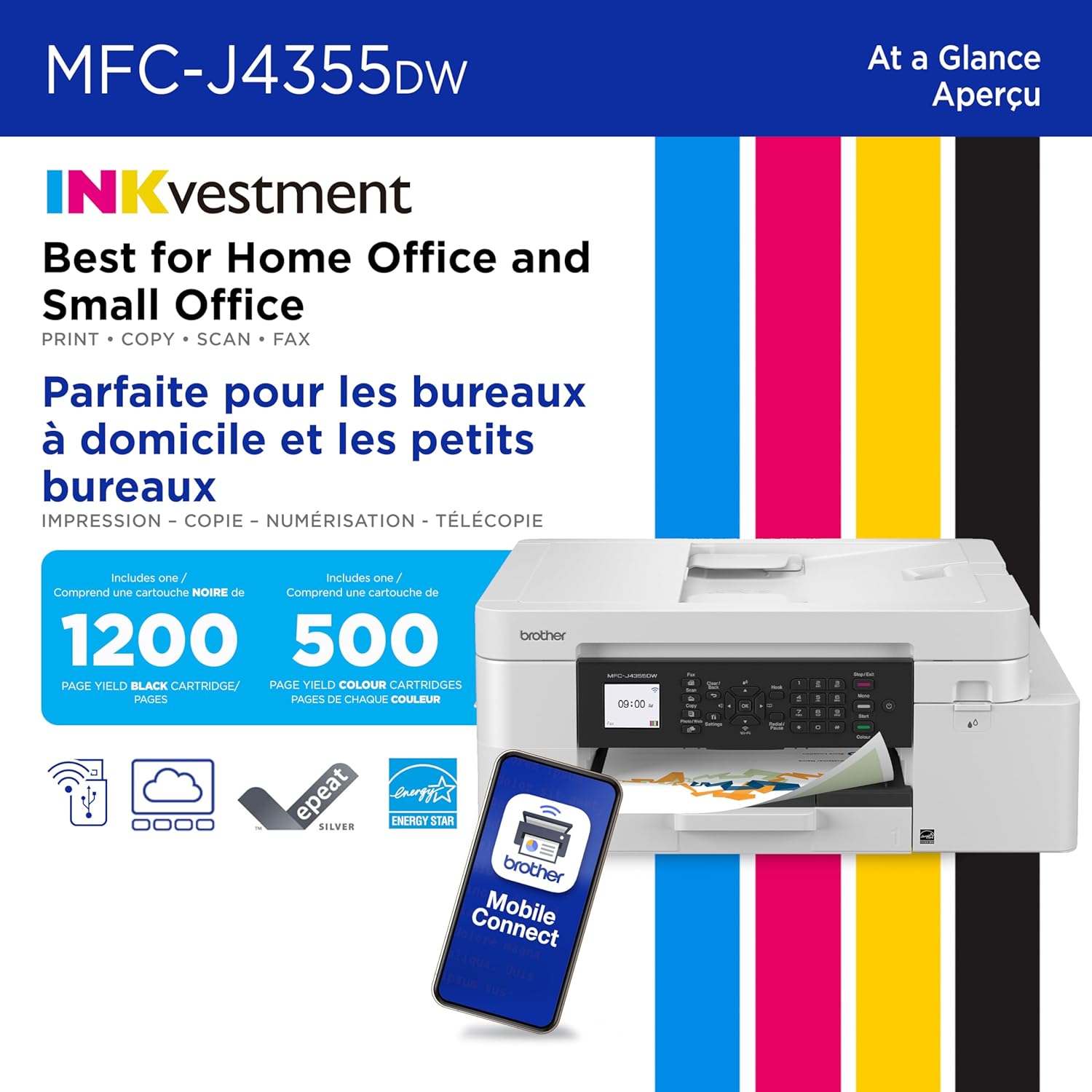
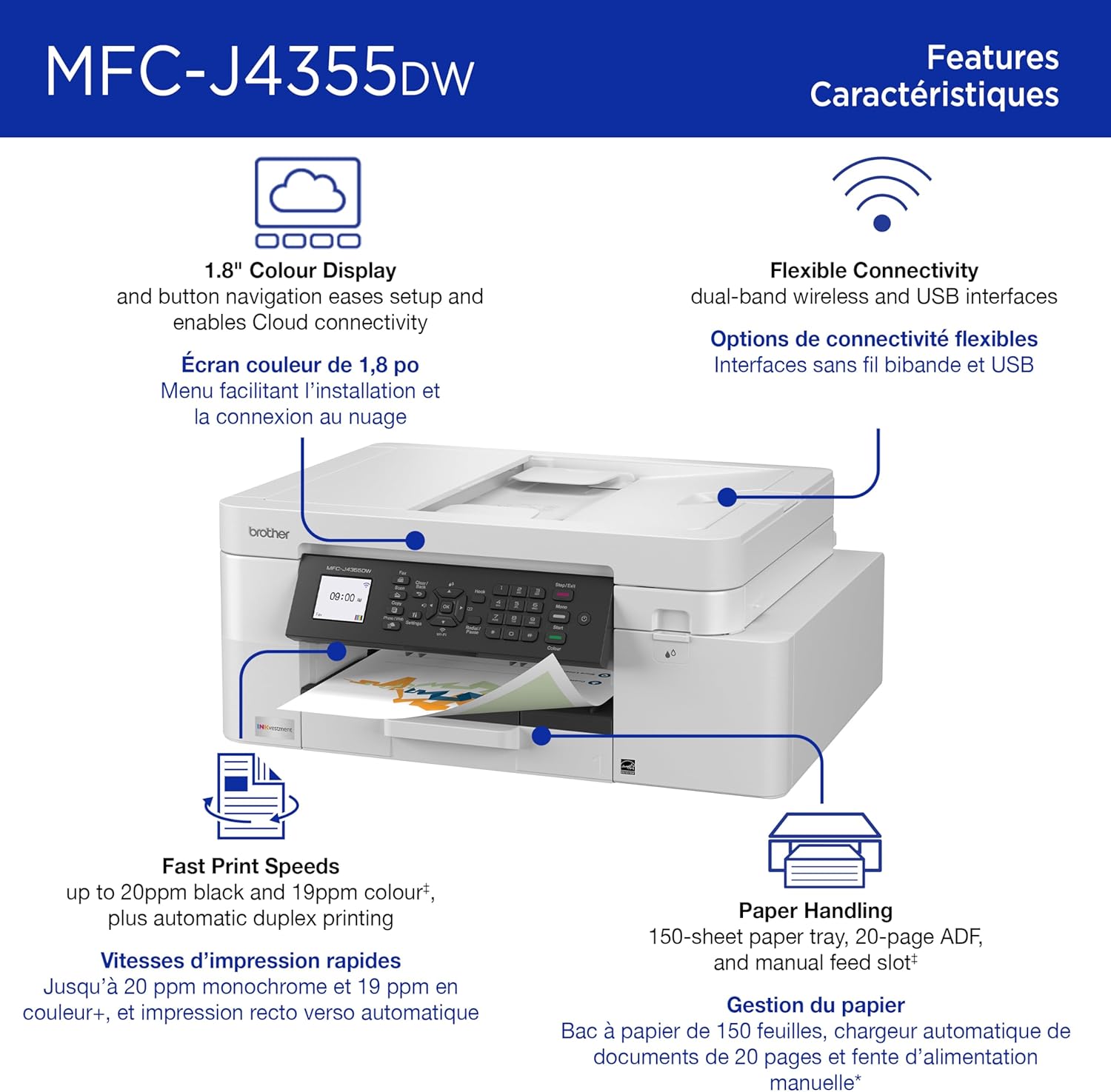
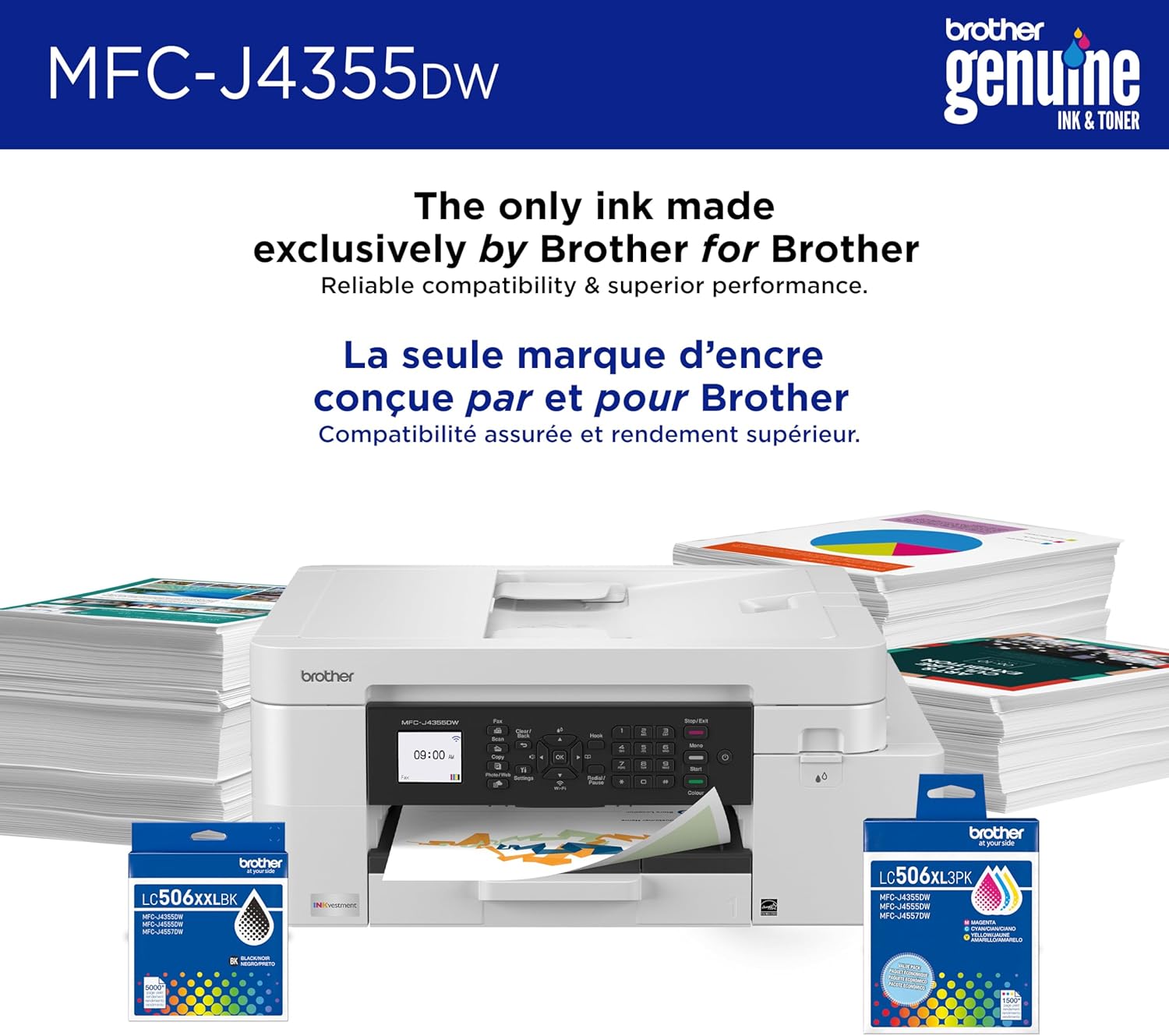
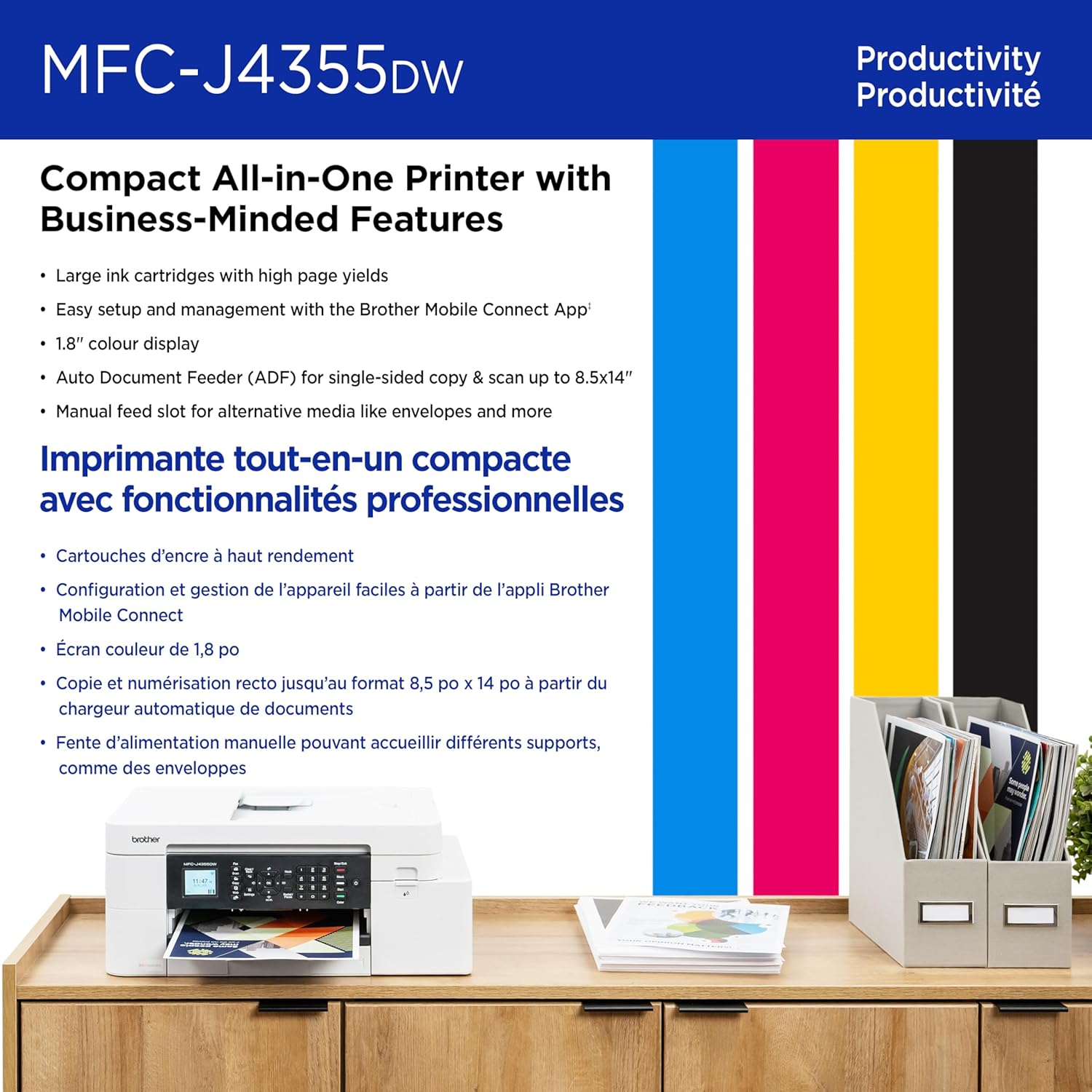
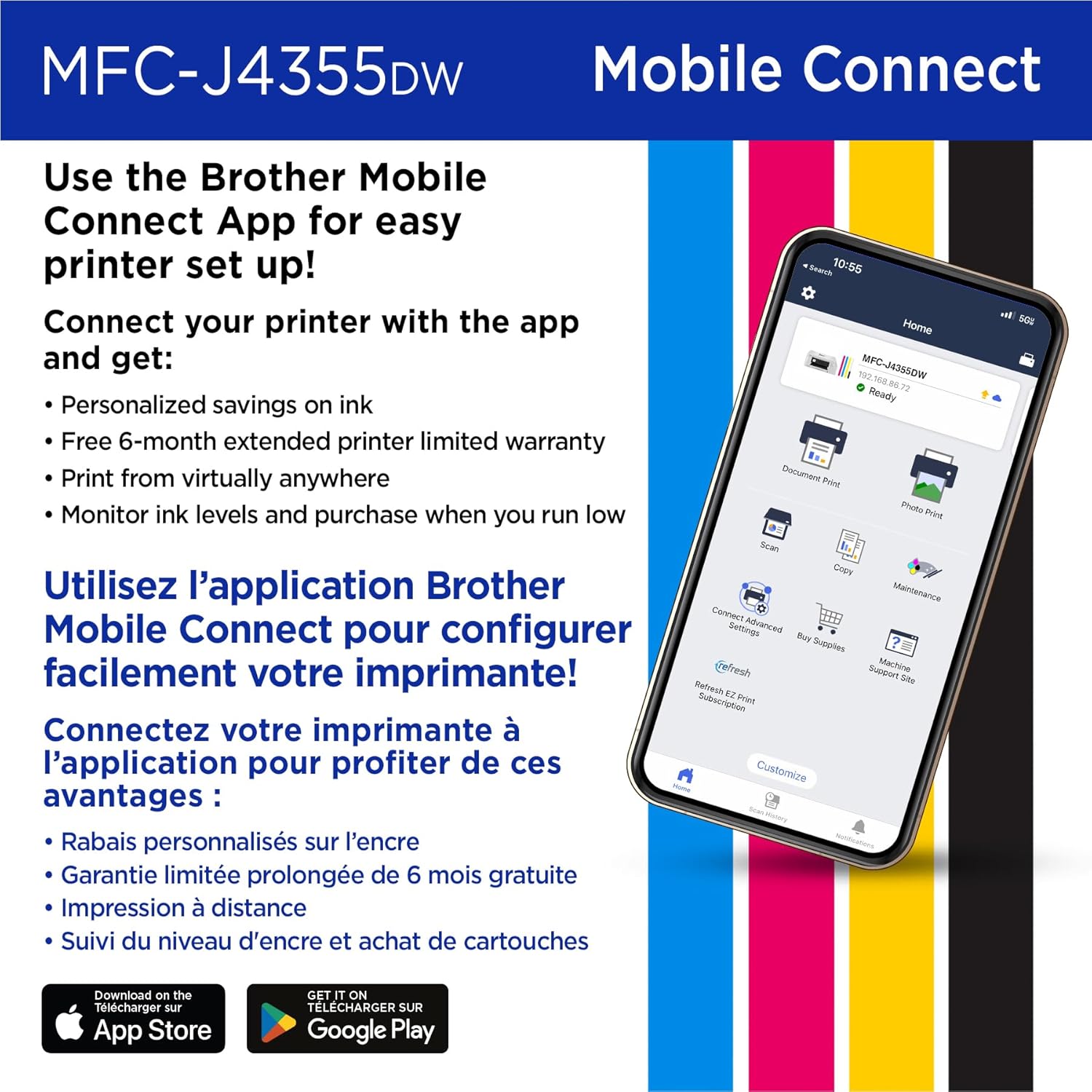
Take productivity to the next level with the Brother INKvestment MFC-J4355DW Wireless Color Printer All-in-One. An easy-to-use 1.8” color display provides enhanced functionality, with the ability to connect directly to popular Cloud apps(3) and Page Gauge(7), which monitors your ink usage so you know when you’re running low. Streamline your workflow with the included 150-sheet paper tray(4), one-sheet manual feed slot, 20-sheet single-sided automatic document feeder (ADF)(4) and flatbed scanner/copier functionality, and automatic duplex printing. Get the most out of your printer with advanced print speeds, Wi-Fi Direct®, and multiple connectivity options. Plus, the convenience to complete your work wherever you go – you can print directly from your mobile device from virtually anywhere with the Brother Mobile Connect app(6). Produce beautiful personal and business prints in vibrant color and bold blacks at fast print speeds with LC506 Brother Genuine Ink cartridges – the only brand we recommend for your Brother inkjet printer. Try one of our smart delivery systems with Refresh and have your ink delivered automatically, before you run out. Includes a 2-month FREE Refresh EZ Print Subscription Trial(1) and built-in savings of up to 50%(8). Disclaimers: (1) Refresh Free Trial requires enrollment in a monthly billed Brother Refresh EZ Print Subscription service plan based on monthly printed page allotments. Unused pages roll over, limitations apply. Additional page set charges and taxes apply during trial. Plan, options offer and pricing subject to change. Open to new subscribers located in the contiguous United States only. After the free trial period, your credit card will be charged on a monthly basis for the Plan Fee, Overages and Taxes in accordance with the Terms of Service. Overage fees will apply during free trial. Your service will continue on a month-to-month basis until you cancel it. May be canceled at any time. Upon cancelation, cartridge will be deactivated and must be replaced at user’s expense in order to continue printing. For full details or to enroll, visit: https://www.brother-usa.com/supplies/subscription-info (2) Requires an internet connection and an account with desired service. (3) Maximum Capacity based on using 20lb. paper. (4) Based on ISO/IEC 24734 (after first set of ISO test pages). For inkjet print speed methodology, please visit www.brother-usa.com/printspeed. (5) Free Brother Mobile Connect App download, wireless connection and connection of an eligible printer with Brother are required. Compatibility may vary by device, operating system and country. (6) Page Gauge is an estimate for informational purposes only. For actual cartridge yield information refer to go.brother/pageyield. (7) Based on combined value of the included extended limited warranty plus monthly subscription cost in U.S. vs. purchase of an extended limited warranty plus average cost per page of standard replacement cartridges. Savings will vary based on Refresh EZ Print Subscription plan selected.
고객 리뷰
4.00

(100 점수)

5
16
4
4
3
5
2
14
1
61
댓글 취소
댓글을 남겨주세요

18 논평

5.0 out of 5 stars Great printer
2026-01-07    -LCskater

I waited for a month or two before I reviewed this.Scans:I use scans for work and need a scanner that can easily handle multiple pages. This scans a lot of pages- which is great. I used the feeder (and I also downloaded the software from the website). I use the program to scan. It is fabulous. I scanned a 25 page document easily and saved as a pdf to my computer. This is a huge plus because many scanners don't work well with multiple pages. The output was clear and it scanned it quickly. I do have to own up to my first scan being blank as I had the pages turned the wrong way for the feeder (it scanned the backs). Maybe I was in a rush, or I read it wrong-but it took me a second try to figure that out... so if you are using the document feeder make sure you scan the documents with the pages faced in the right direction.I have an older brother at work. You can scan it directly from the printer to the laptop because it is connected via a printer cable. I didn't set that up here, so I had to use the program to do it wirelessly which was very simple (after I did it a first time- see above). It was so easy that I decided to forgo the expense of the printer cable and just use the laptop to originate the scans wirelessly.Copy:This take copies from the glass and from the document feeder. It holds a lot of pages and it copies them quickly and clearly. I was very happy with the ADF because I copy larger documents and this poses problems for many personal printers. The glass was also very easy to copy from and it is clearly marked for orientation. My former computer was a pain because it was not very clear and I had to remember to place it against the right vs. the left.Print:Love this printer, it is fast and clear. The colors are deep and the printer easily and automatically prints (wirelessly) out my papers. I usually print out documents about 20 pages so this handled that well. I didn't have to wait a long time and my ink is still at full.....Overall I am very happy with this printer. My other printer would always give me issues when I needed to print in terms of connectivity and it would take several attempts and a lot of aggravation to print a something. This printer is a blessing in that area. It automatically connects to my computer, even after I haven't used it for a week, and prints it out quietly, quickly and clearly. It is smaller than my previous printer and it is quiet.I recommend you download the software but it is a big file(s) so it takes up memory (as a programmer I watch that load of the programs). I use the program for wireless scanning, but if you are not a big scanner than you could probably avoid it.I recommend this printer. I think it has a lot of functionality for the price-most of which I do not use-- but more importantly it works as it is supposed to - when it is supposed to. That is a big change from my former Cannon- which did what it wanted, when it wanted and took forever.

Awesome! This is by far the nicest printer out of the box ever! The quality is way better than any of the Canon printers ...and I have owned quite a few and will never go back! The setup was simple, it connected to my wifi network like a breeze(once I remembered my password...lol). Both computers in our home connected in a flash. Good warranty. Only printed a couple of documents to try it out, and it is crazy fast...... couldn't be happier at this point.

Excellent printer and copier. Does everything you need it to, with efficiency and accuracy. Connected to Wifi quickly and with ease (unlike a previous printer of another brand which presented numerous Wifi connection issues). Great clarity of printed documents, simple ink installation, and great screen display. Very happy with this printer!!

Awesome! This is by far the nicest printer out of the box ever! The quality is way better than any of the Canon printers ...and I have owned quite a few and will never go back! The setup was simple, it connected to my wifi network like a breeze(once I remembered my password...lol). Both computers in our home connected in a flash. Good warranty. Only printed a couple of documents to try it out, and it is crazy fast...... couldn't be happier at this point.

4.0 out of 5 stars Compatible with Linux!
2026-01-25    -Crista Lindsey

Great little printer! Not the absolute best print quality but more than adequate for home use and for the price. Easy setup. Connected to my phone and home wifi quickly and without glitches. Whole setup and creating an account with Brother took about 20 minutes. WORKS GREAT WITH LINUX! I didn't even have to download any drivers or even set it up on my computer. Linux Mint (22.3 Zena) automatically recognized it and I was able to print immediately! Definitely worth purchasing!

Update: I've only had this printer for 8 months and it is a useless piece of junk. I've spent hours on the phone with Brother support, wasted gallons of ink "cleaning" it, and the print quality only gets worse and worse. I'm done with this thing and never buying another Brother product. This is ridiculous. My next step is to compel Brother to honor their warranty.After 12 years of hard service and expensive ink, I retired my HP printer and tried this Brother. Here are my first impressions:The Misses:1. I hate the 1980s grey plastic design. It looks like crap on my desk, particularly since all the rest of my computing equipment is black, but I was buying for functionality, not style, I guess.2. I have postage stamps that are bigger than the LED display on this thing. It's not easy to see and you have to scroll down to see some of the messages the machine is providing.3. The set up is kind of clunky and involved compared to other printers. Some set up is done on the machine, other parts are done by going to the Brother website where you have to figure out where to go to download the drivers. I was looking for something on the website home page that said "set up your printer here", but instead you have to hunt around.4. During the set up process, it asks to download several ancillary services. These are not well explained, and I may have inadvertently downloaded annoying bloatware. We'll find out.5. If you are considering printing photos with this machine, just stop and move on to something else. My HP was far better. The photos are crisp, but the Brother interprets certain colors in bizarre ways. For example, white tents are rendered in light blue. Looks very strange compared to the actual photo.6. The power cord on this is ridiculously short compared to my HP, and I pretty much had to change my entire desk set up to stretch the cord far enough to reach my power strip.7. It wouldn't kill Brother to give you a printer cord if you want a wired connection. Fortunately, I was able to reuse my HP cord THAT CAME WITH THE MACHINE.The Hits:1. Printing a standard page of text with an illustration or two is lightning fast. I've never seen an inkjet as fast as this.2. Standard printed text is very sharp.3. It's more compact than my old HP All in One, mostly because the paper tray doesn't stick out an extra 5 inches on the side.4. It is much quieter than the HP, which would go through a lot of noisy gyrations just get itself prepared to print.I'm not sure I did the right thing in buying this printer. I wanted to be thrilled, but so far I am not.

Muy buena Calidad precio
2026-02-06    -Bertin Valencia

Una buena impresora, calidad precio y beneficio de uso de recarga de los cartuchos. muy fácil de recargar y de encontrar los tubos de recarga de tinta, dura mucho la tinta. Fácil de usar diariamente.

Muy bueno
2026-03-02    -DeltAcceL

Me ah salido muy bien, solo que si consume algo de tinta pero en todo lo demás muy bien

Excellent printer and copier. Does everything you need it to, with efficiency and accuracy. Connected to Wifi quickly and with ease (unlike a previous printer of another brand which presented numerous Wifi connection issues). Great clarity of printed documents, simple ink installation, and great screen display. Very happy with this printer!!

Update: I've only had this printer for 8 months and it is a useless piece of junk. I've spent hours on the phone with Brother support, wasted gallons of ink "cleaning" it, and the print quality only gets worse and worse. I'm done with this thing and never buying another Brother product. This is ridiculous. My next step is to compel Brother to honor their warranty.After 12 years of hard service and expensive ink, I retired my HP printer and tried this Brother. Here are my first impressions:The Misses:1. I hate the 1980s grey plastic design. It looks like crap on my desk, particularly since all the rest of my computing equipment is black, but I was buying for functionality, not style, I guess.2. I have postage stamps that are bigger than the LED display on this thing. It's not easy to see and you have to scroll down to see some of the messages the machine is providing.3. The set up is kind of clunky and involved compared to other printers. Some set up is done on the machine, other parts are done by going to the Brother website where you have to figure out where to go to download the drivers. I was looking for something on the website home page that said "set up your printer here", but instead you have to hunt around.4. During the set up process, it asks to download several ancillary services. These are not well explained, and I may have inadvertently downloaded annoying bloatware. We'll find out.5. If you are considering printing photos with this machine, just stop and move on to something else. My HP was far better. The photos are crisp, but the Brother interprets certain colors in bizarre ways. For example, white tents are rendered in light blue. Looks very strange compared to the actual photo.6. The power cord on this is ridiculously short compared to my HP, and I pretty much had to change my entire desk set up to stretch the cord far enough to reach my power strip.7. It wouldn't kill Brother to give you a printer cord if you want a wired connection. Fortunately, I was able to reuse my HP cord THAT CAME WITH THE MACHINE.The Hits:1. Printing a standard page of text with an illustration or two is lightning fast. I've never seen an inkjet as fast as this.2. Standard printed text is very sharp.3. It's more compact than my old HP All in One, mostly because the paper tray doesn't stick out an extra 5 inches on the side.4. It is much quieter than the HP, which would go through a lot of noisy gyrations just get itself prepared to print.I'm not sure I did the right thing in buying this printer. I wanted to be thrilled, but so far I am not.

댓글을 남겨주세요:

댓글 제목
댓글 내용
배송 및 반품
우리가 당신을 보호하겠습니다

대부분 지역에서는 배송비를 한 번만 지불하시면 됩니다 (주문 및 배송 페이지를 확인해 주세요).

구매 후 14일 이내 무료 반품 가능 (단, 수명이 다한 제품, 맞춤 제작 상품, 마스크, 향수 및 에어로졸과 같이 위험하거나 인화성 물질이 포함된 일부 제품은 제외).

수입 관세 정보

복잡한 절차는 저희가 처리해 드리겠습니다. 카나리아 제도를 제외한 모든 EU 국가, 영국, 미국, 캐나다, 호주, 뉴질랜드, 푸에르토리코, 스위스, 싱가포르, 한국, 쿠웨이트, 멕시코, 카타르, 인도, 노르웨이, 사우디아라비아, 대만, 태국, UAE, 일본, 브라질, 맨섬, 산마리노, 콜롬비아, 칠레, 아르헨티나, 이집트, 레바논, 홍콩 특별행정구, 바레인, 터키로 배송되는 상품 가격에는 모든 수입 관세가 포함되어 있습니다. 표시된 가격이 최종 결제 금액입니다.

예상 배송 시간

특급 배송: 7-10일

해당 창고에서 배송되었습니다.

더 자세한 정보가 필요하신가요?
반품 정책
반품 정책

저희는 제품 품질에 자신 있습니다. 만약 구매하신 제품에 완전히 만족하지 못하신다면, 수령일로부터 30일 이내에 간편하게 반품하실 수 있도록 정책을 마련해 두었습니다.

간편한 교환 또는 환불
  • 다른 사이즈, 색상 또는 스타일의 상품으로 교환하거나 전액 환불받을 수 있습니다.
  • 반품되는 모든 상품은 착용하지 않은 상태여야 하며, 원래 포장 상태 그대로 모든 태그가 손상되지 않은 상태여야 합니다.
간단한 절차
  • 온라인으로 반품을 신청하거나 고객 서비스 팀에 문의하여 도움을 받으실 수 있습니다.
  • 물품을 제대로 포장해 주시고, 원래의 포장 목록도 함께 넣어주세요.
  • 반품하실 상품을 보내주실 때에는 저희가 제공해 드린 선불 배송 라벨을 사용해 주시기 바랍니다.
  • 환불 요청 접수 즉시 처리해 드리겠습니다.

반품과 관련하여 궁금한 점이나 우려 사항이 있으시면 언제든지 저희 전문 고객 서비스 팀에 문의해 주세요. 고객 만족은 저희의 최우선 목표입니다.

범주
차이
제품
모든 제품 지우기